Cybersecurity training for Texas school districts
Schools hold some of the most sensitive data in the state, and attackers know it. Train every teacher, campus office, and central office employee in about an hour, track every campus from one dashboard, and give your board proof in one click.
- TXCC-certified, FY 2026-2027
- About 60 minutes
- QR-verified certificates
- One-click compliance report
What Texas law asks of school districts
School districts are local governments under Texas cybersecurity law, so the annual training requirement that began with House Bill 3834 applies to them. It now sits in Texas Government Code Chapter 2063, administered by the Texas Cyber Command (TXCC).
Who must train
District employees who use a computer for at least 25% of their duties, which includes nearly every teacher, plus elected trustees.
A certified program
Training must be a state-certified program. This course is TXCC-certified for fiscal year 2026-2027 under Section 2063.102.
Every school year
Completion is tracked by the state fiscal year, September 1 through August 31, which lines up neatly with the school year.
Foreign adversary rules
Section 572.070 rules on gifts, travel, and reporting apply to employees and volunteers of political subdivisions, including districts. Module 4 covers them.
This page summarizes common obligations under Texas Government Code Chapter 2063 and Section 572.070. Confirm the requirements for specific positions with your legal counsel.
Everyone from the classroom to the boardroom
Teachers
A short course that fits a planning period or in-service day, on a laptop, tablet, or phone.
Campus offices
Principals, registrars, attendance clerks, and counselors who handle student records daily.
Central office
Finance, payroll, purchasing, and HR, the departments most targeted by payment fraud.
Board of trustees
Elected trustees complete the same course, and the board sees district-wide completion in one report.
Operations and auxiliary
Transportation, maintenance, child nutrition, and athletics staff who use district systems.
Technology staff
An optional IT track covers backups, privileged accounts, AI attacks, and third-party risk.
See exactly what your district dashboard looks like
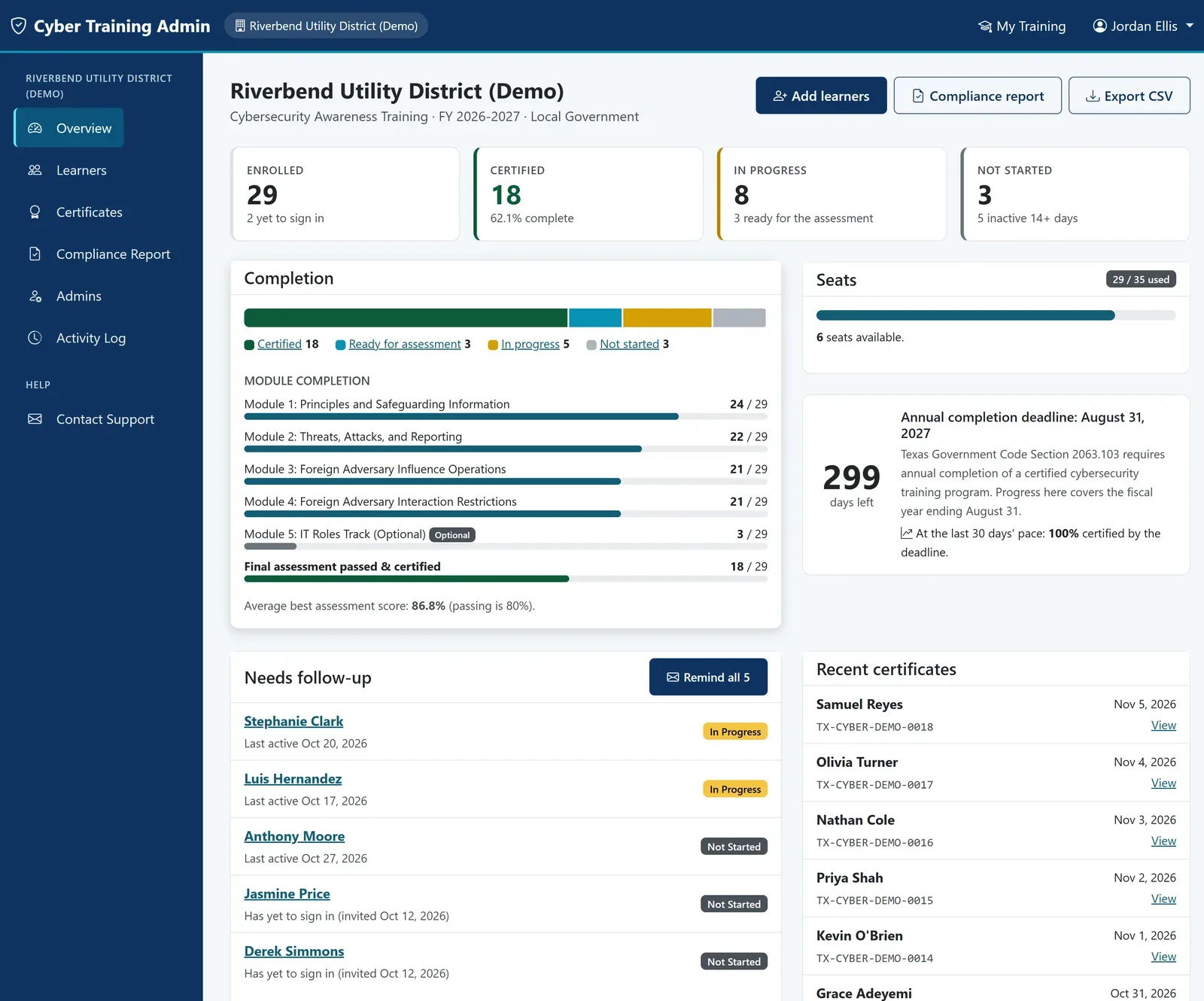
Open the real admin portal, loaded with a sample district of 29 staff at every stage of training. Click anything. It's exactly what your district gets on day one.
- Live completion dashboard with a deadline countdown
- Roster with progress, scores, and one-click reminders
- Every certificate, printable as one PDF
- An audit-ready compliance report in one click
Takes one click. Prefer a tour? Read the illustrated user guide.
Made for busy campuses
Protects student data
Lessons on phishing, QR code scams, and secure handling of confidential records keep FERPA-protected information safer.
Fits an in-service day
About an hour total, self-paced, with progress that saves so teachers can finish across several sessions.
Track by campus
Tag staff by campus or department and see which buildings are finished at a glance.
Roster upload
Upload your staff list as a spreadsheet and every person receives an invitation automatically.
Board-ready reporting
A one-click compliance report with each employee, completion date, and certificate number.
Accessible to everyone
Meets WCAG 2.2 guidelines, with video, audio, podcast, slides, and text for every lesson.
Four focused modules, about an hour
- 1Principles and Safeguarding InformationTypes of information, security controls, multi-factor authentication, remote work, and safe use of generative AI.
- 2Threats, Attacks, and ReportingPhishing, quishing, business email compromise, ransomware, and how to report suspicious activity.
- 3Foreign Adversary Influence OperationsHow influence operations target Texas government and where to report them.
- 4Foreign Adversary Interaction RestrictionsThe Section 572.070 rules on gifts and travel and the 30-day reporting requirement.
- +Optional IT Roles TrackCyber hygiene, backups, Traffic Light Protocol, AI attacks, third-party risk, and privileged accounts.
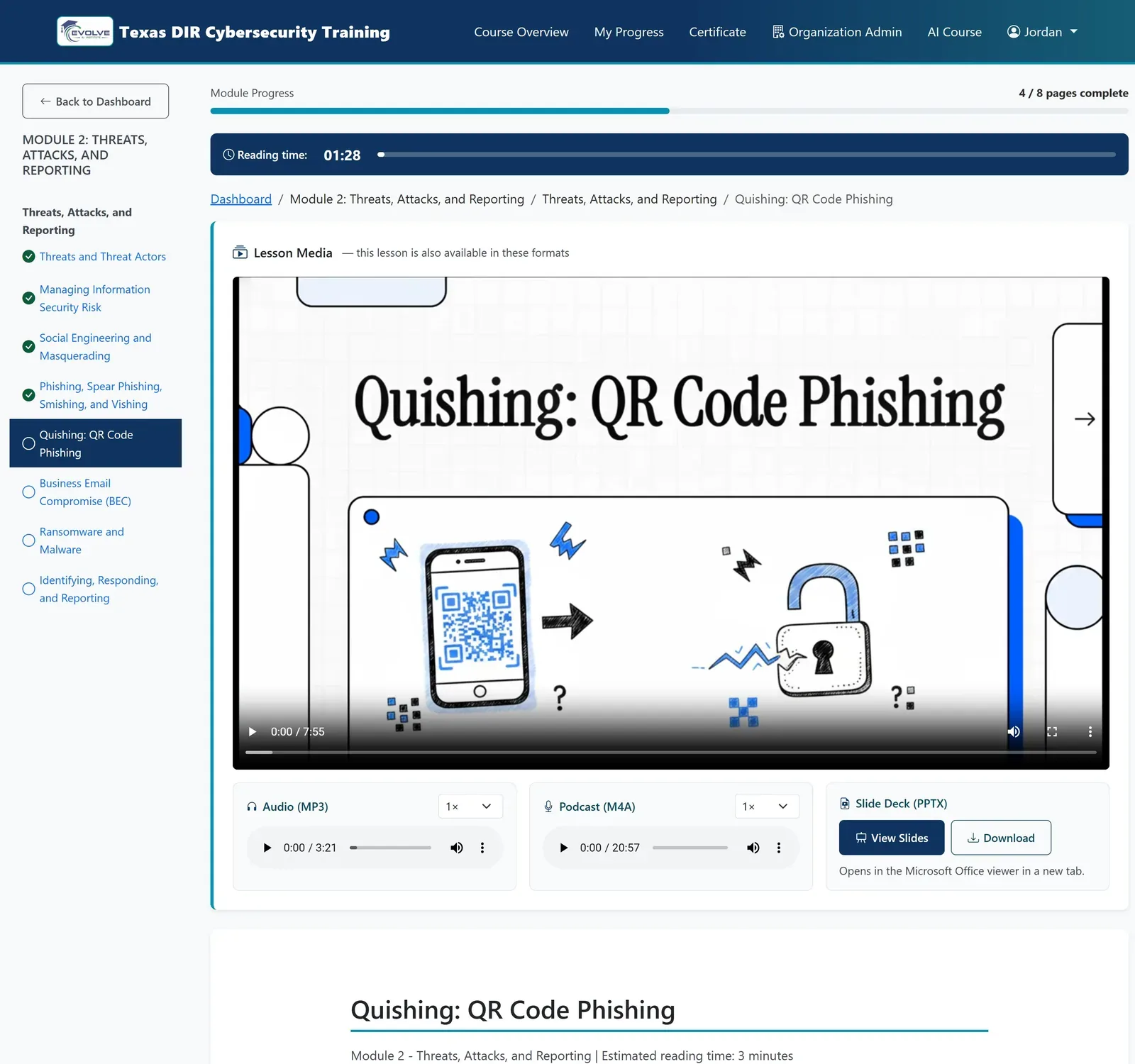
Every lesson offers video, podcast, audio, slides, and text, plus six hands-on practice scenarios.
Up and running in a day
Get your seats
Buy online with a card, or request an invoice against a purchase order.
Receive admin access
Your coordinator gets a link straight into your district's portal.
Invite your people
Upload a spreadsheet or share a sign-up link. Invitations go out automatically.
Download your proof
Track progress, send reminders, and export certificates and the compliance report.
Per-person pricing with volume savings
Every seat includes the full course, practice scenarios, the certificate, and organization reporting.
More than 500 people, or paying by purchase order? Request a quote or email [email protected].
School districts: frequently asked questions
Do Texas teachers have to complete cybersecurity training?
Do school board trustees need to complete the training?
Is this course certified for the 2026-2027 school year?
Can we track completion by campus?
How long does the course take?
How does our district pay?
Training for every kind of Texas public entity
Get your whole district trained this semester
See the admin portal with real data in one click, then choose the plan that fits your district.